
Summary
Overview
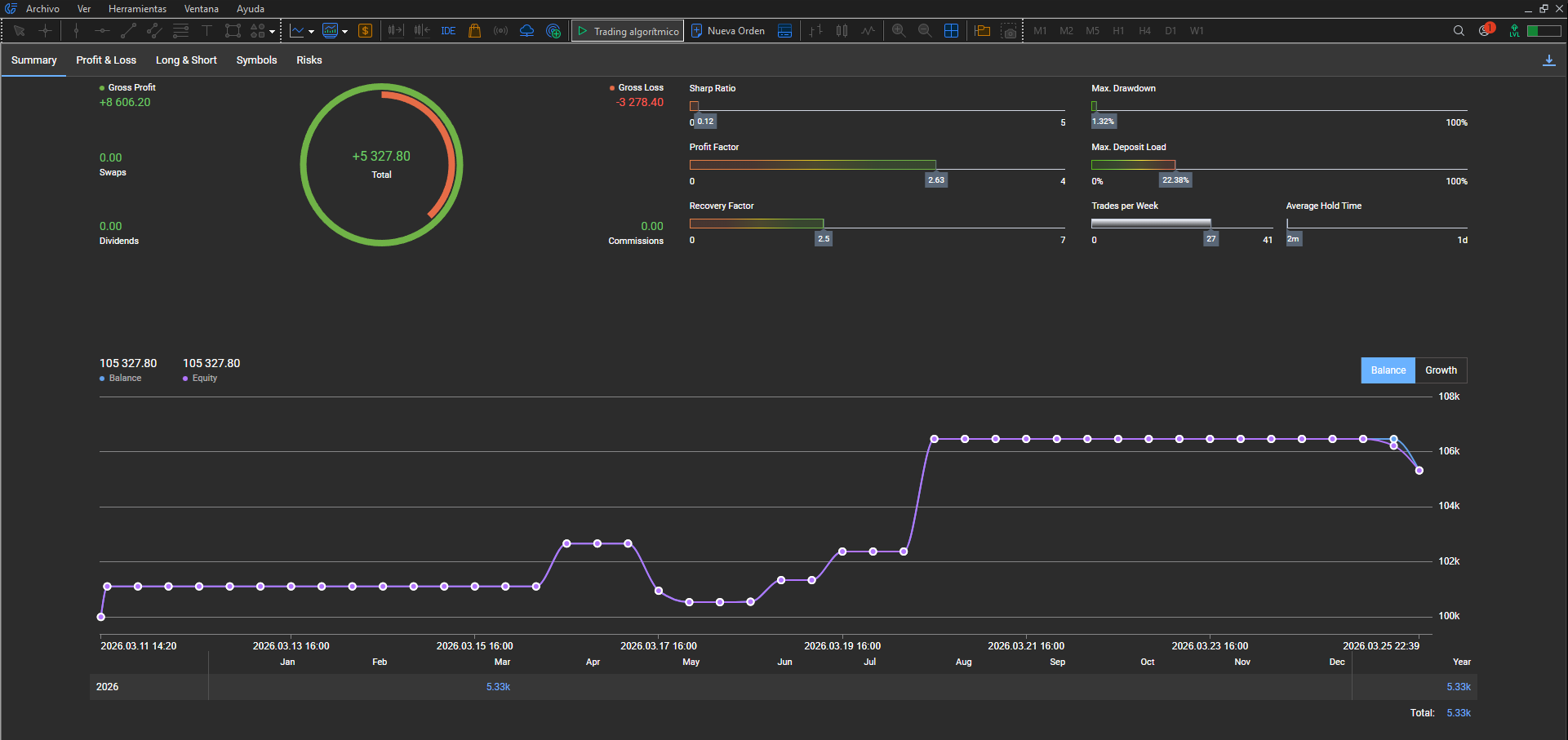
Global view: net profit, balance and ratios for the period selected in MT5.
Brake under pressure · milliseconds
Close in milliseconds. Until the next window (day or week), no shortcuts.
Trading while locked triggers an instant close; what happens is traced so you can verify it.
This is not the close when you hit your limit — it is the brake if, already in STOP, you try to open again.
One chart for tevsys. Your whole account, protected.
Protection alerts appear on all your open charts.
15 lots · GER40 · −1% limit · €1.31 deviation · Wall Street open · HyperClose in 3 levels.
On-screen EA UI may still appear in Spanish.
More close cases — list with links and titles.
Official MT5 report (same account as the video). Report period covering the recorded session and, where applicable, later trades. Click to enlarge.
Summary
Overview
Global view: net profit, balance and ratios for the period selected in MT5.
Profit & Loss
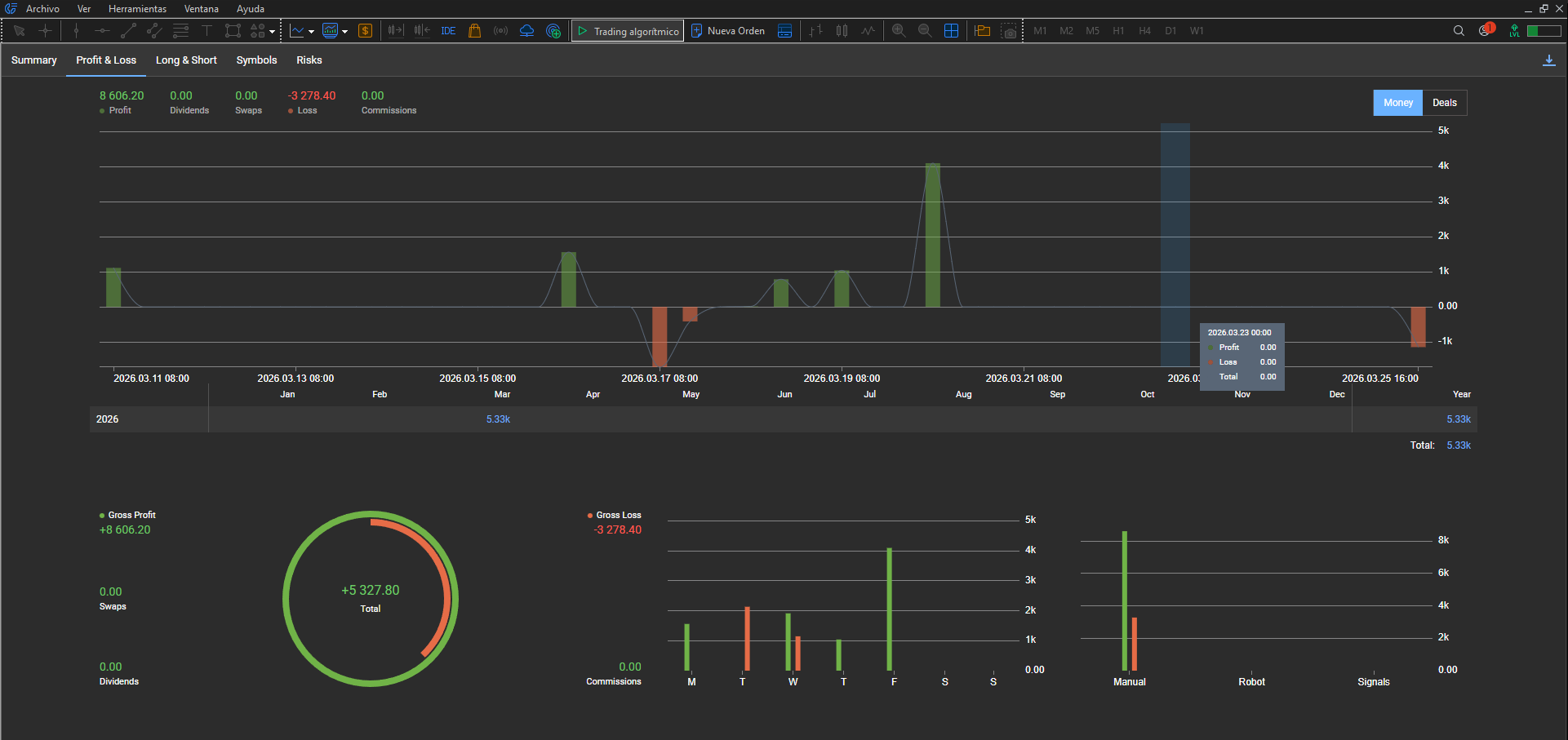
Profit and loss
Gross/net breakdown and time distribution over the period.
Long & Short
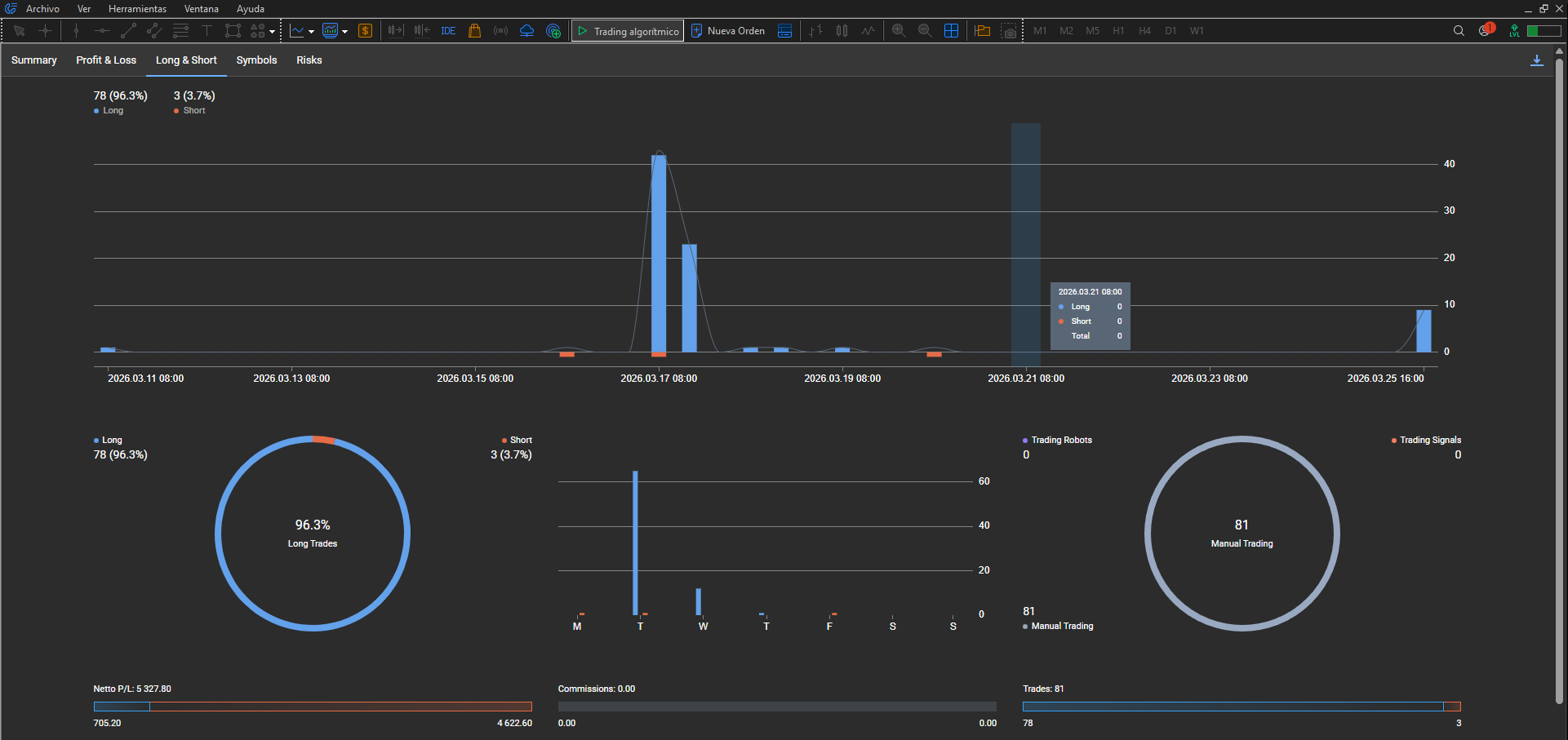
Longs and shorts
Trade and volume distribution by direction over the period.
Symbols
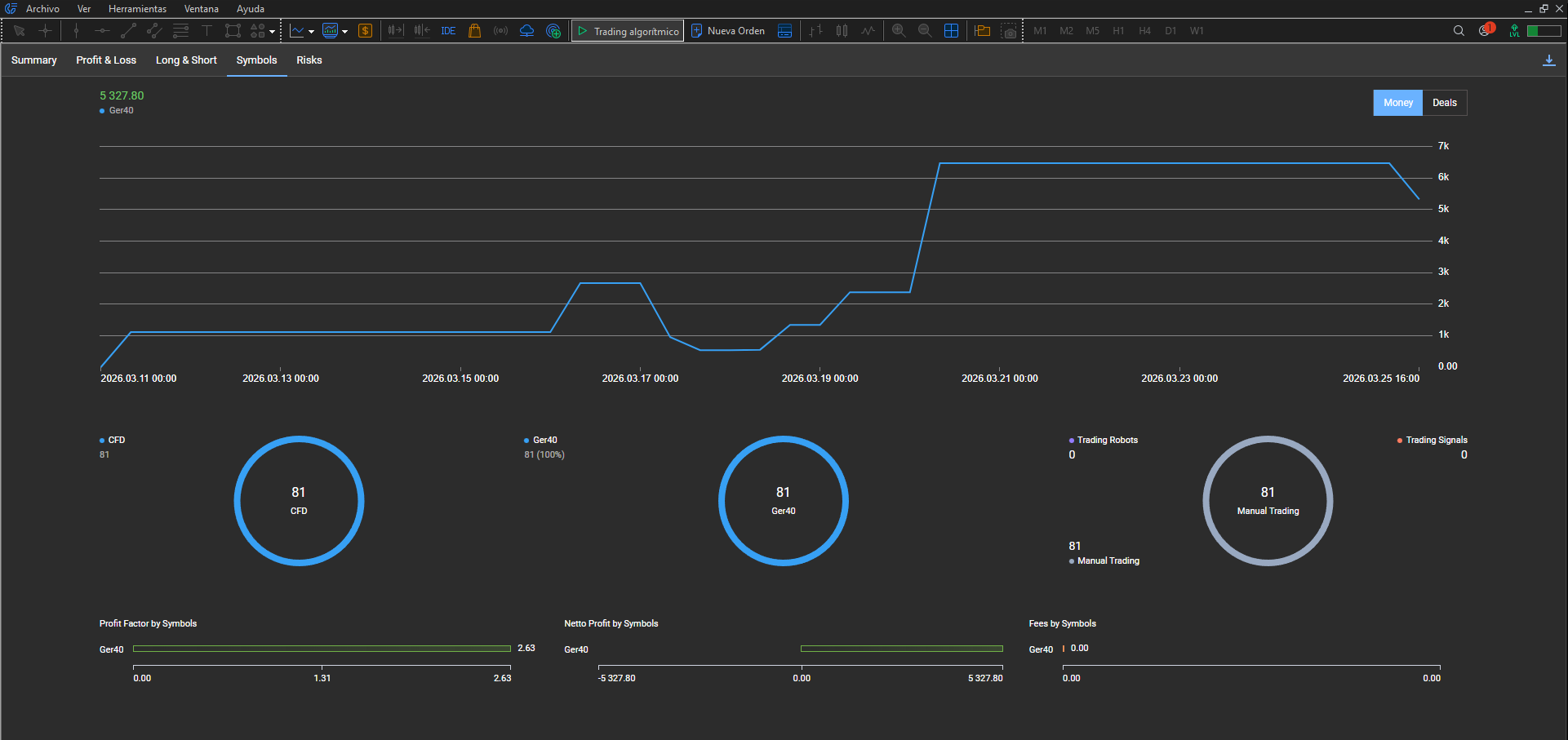
Symbols
Main instrument (Ger40) and result attributed by symbol.
Risks
Risks
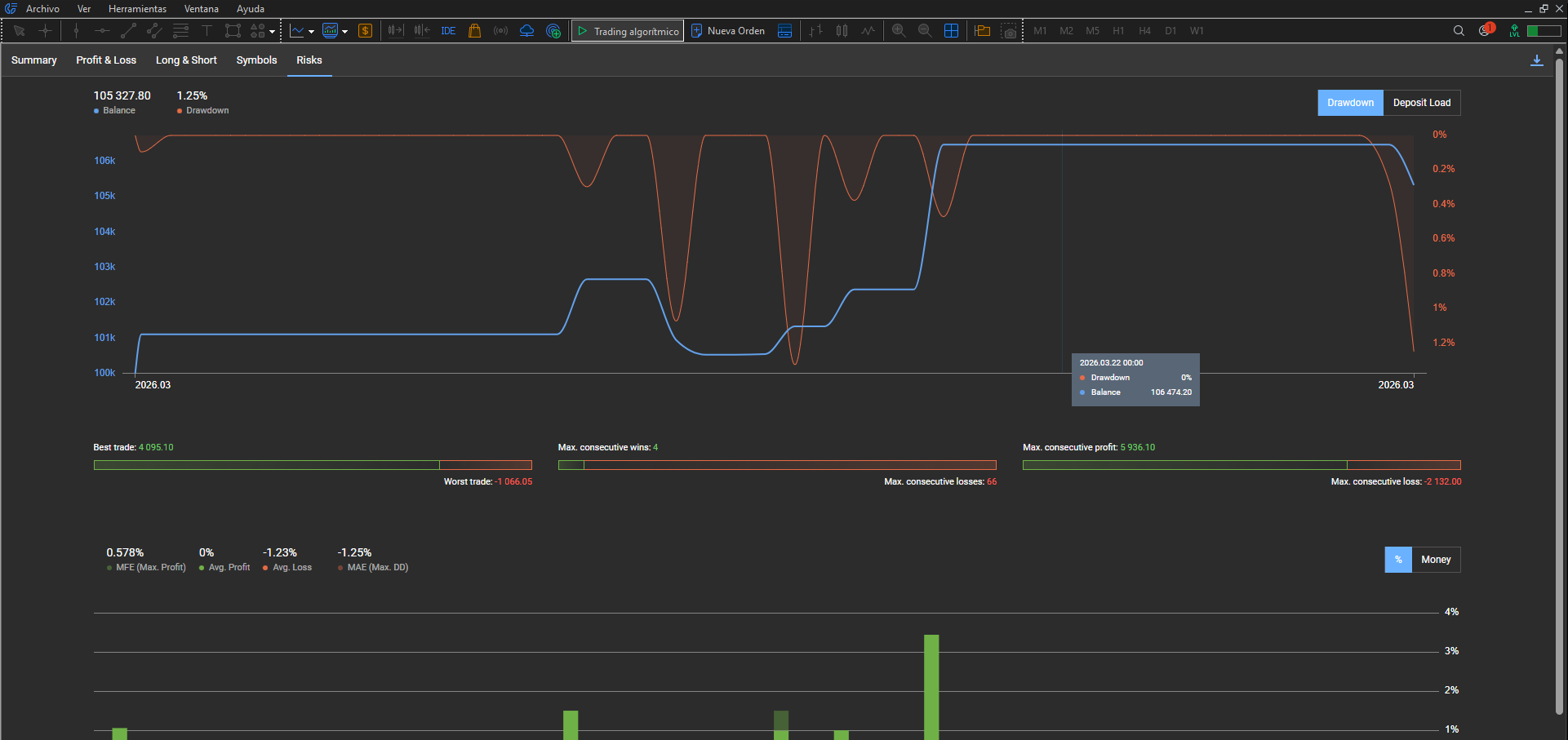
Drawdown, best/worst trades and risk metrics for the period.
History
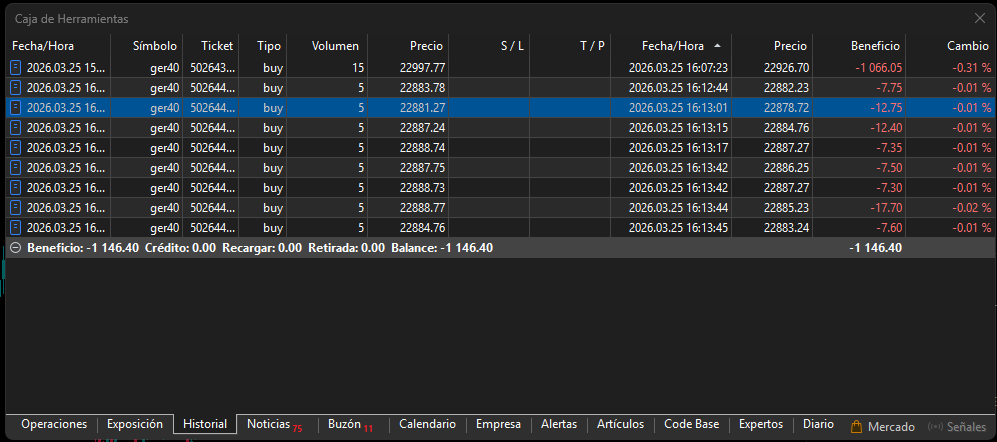
Toolbox — History
Same-day list: close of the trade in the video and later closes if you tested while locked (e.g. day total −€1,146.40 vs −€1,066.05 in the HTML exported earlier alone).
Open HTML history for this demo
First time with report tabs? Example on another account (100k demo).
MT5 vs HTML: the HTML is an export at the exact close moment of the trade in the video. MT5 reports and history over a range that covers what came after also include the trades that show how HyperClose closes when you try to trade while locked.
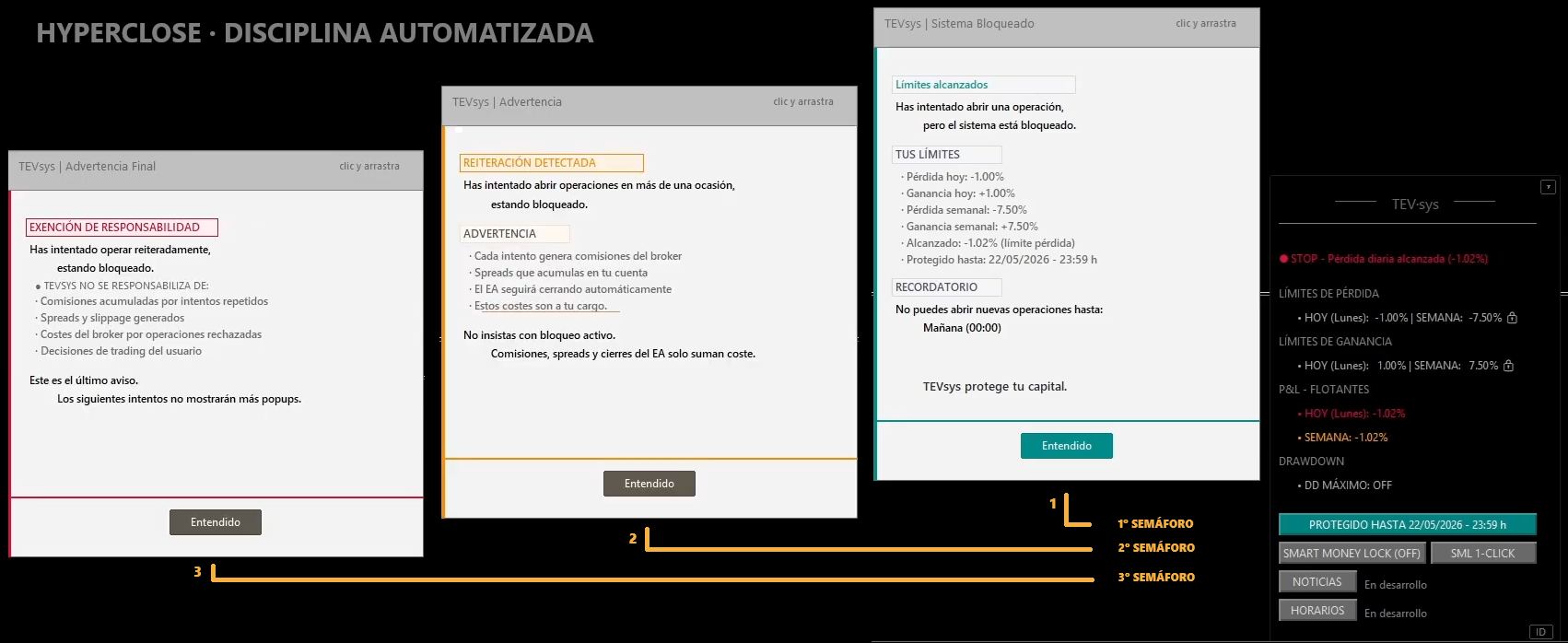
Three warning levels if you repeat the attempt
You already hit the limit; the panel stays in STOP.
If you still try to trade, the close is immediate and the modal escalates:
When the day changes, tevsys takes control
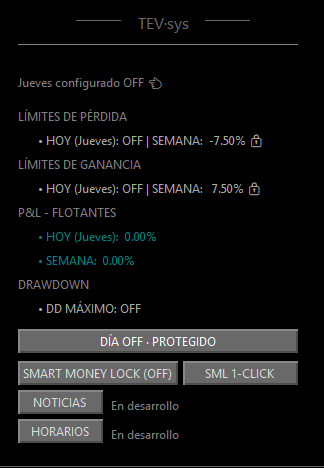
OFF day with limits locked: green padlock and protected panel from the first live tick.
If you still try to trade, the close is immediate and the modal escalates — the same logic as when limits are hit.
Setup, protected panel and modals when you try to trade. Click each capture to view full size.
Setup
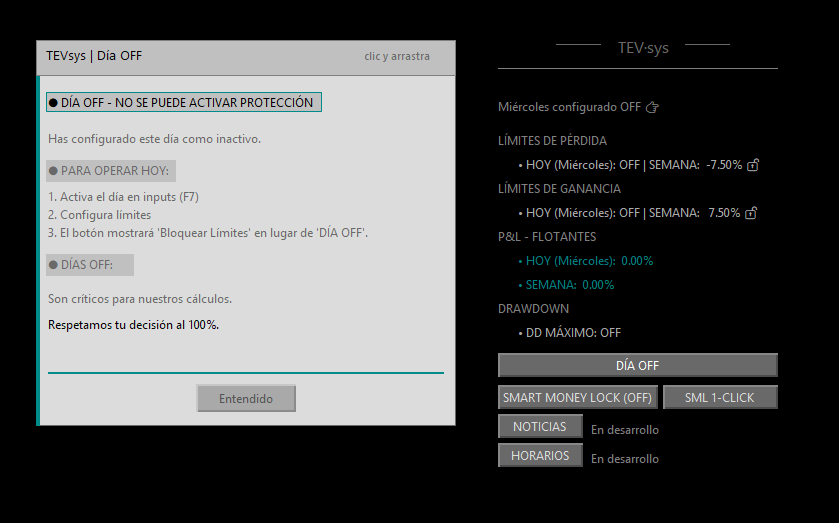
Protection cannot be activated
Day set as OFF. If you try to lock limits, the system blocks it. To trade that day, first clear the OFF day in Inputs (F7), then set limits and lock. Without that step, there is no active protection.
🔓 Grey padlock (lower-left corner of the chart) = no protection. Configure and lock.
Protected panel
OFF day with limits locked
Day set as OFF and limits previously locked. WEEK padlocks show active protection; the button shows «DÍA OFF · Protegido» (OFF day · Protected). Floating today 0.00% because nothing was traded. If you try to open a trade, the system closes immediately and shows the modals.
🔒 Green padlock (lower-left corner of the chart) = active protection.
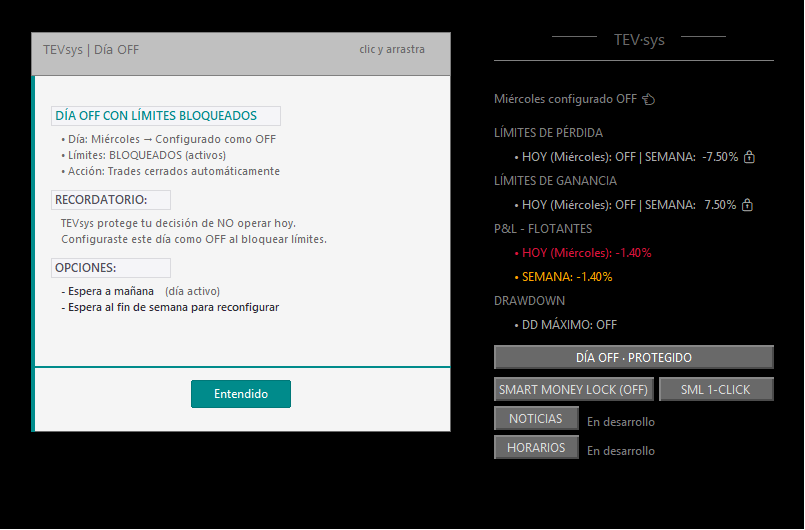
Level 1
Educational
First attempt to trade on an OFF day with limits locked. The system closes the trade immediately and shows a reminder: this day is configured as OFF, tevsys protects that decision and closes automatically. Options: wait until tomorrow or reconfigure ON/OFF days over the weekend.
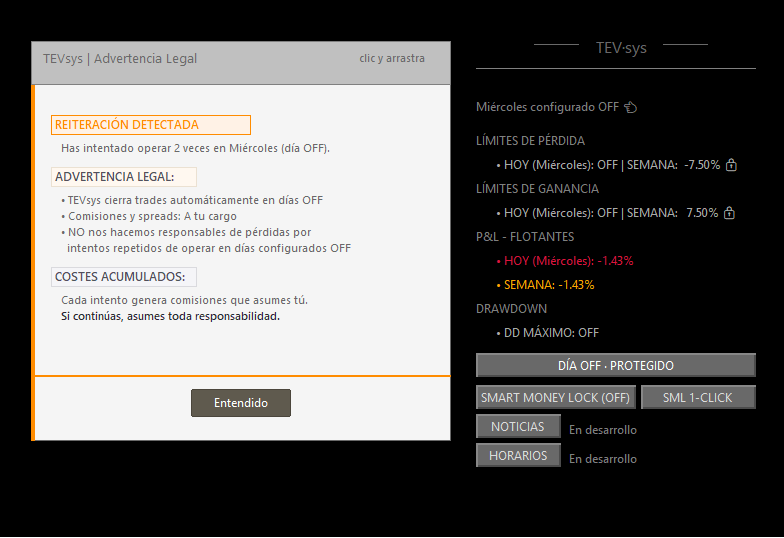
Level 2
Warning
Second attempt to trade on an OFF day. Stronger tone: commissions and spreads are on you. The system does not take responsibility for losses from repeated attempts. The close remains immediate on every attempt.
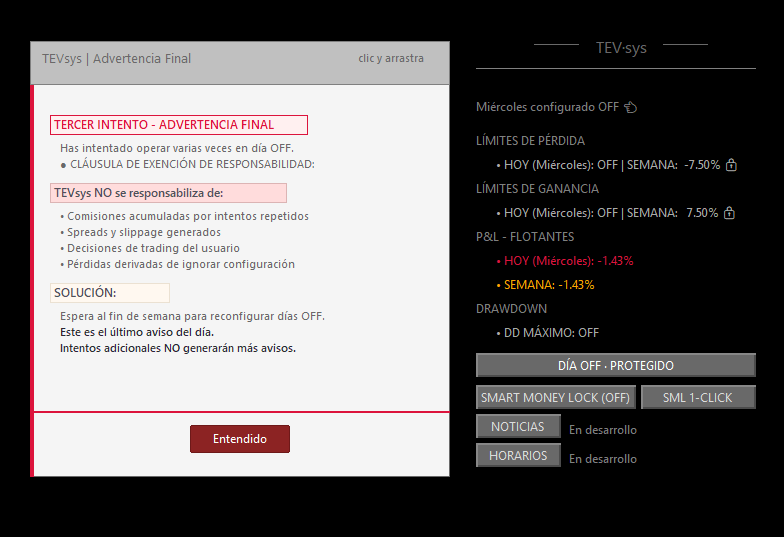
Level 3
Final clause
Third attempt on an OFF day. Liability disclaimer: tevsys is not responsible for commissions, spreads or losses from repeated attempts. Last warning of the day. From the fourth attempt onward, only logs record it — no more popups.
We walk through the full protocol in your context and show you the proofs to check it.
Try HyperClose in demo